What you need to know
VOOM is Royal Caribbean's onboard internet service, available in package tiers such as Surf and Stream. Packages can be purchased before sailing through your Cruise Planner or onboard, and each limits the number of devices that can connect simultaneously. Package features, pricing, device limits and terms vary by ship and sailing, so check your own booking for the exact details that apply.
Key takeaways
- VOOM is the service name; individual tiers like Surf and Stream are the package options you choose within it.
- Pre-purchase through Cruise Planner usually costs less than buying onboard, though exact pricing varies by sailing.
- Each package allows a specific number of devices to connect at the same time, and you can switch which device is active.
- VOOM provides connectivity while ships are at sea; coverage at ports and private islands should be verified separately.
- Package names, device limits, validity periods and features are set at the sailing level—check your own Cruise Planner for authoritative terms.
What VOOM means on Royal Caribbean
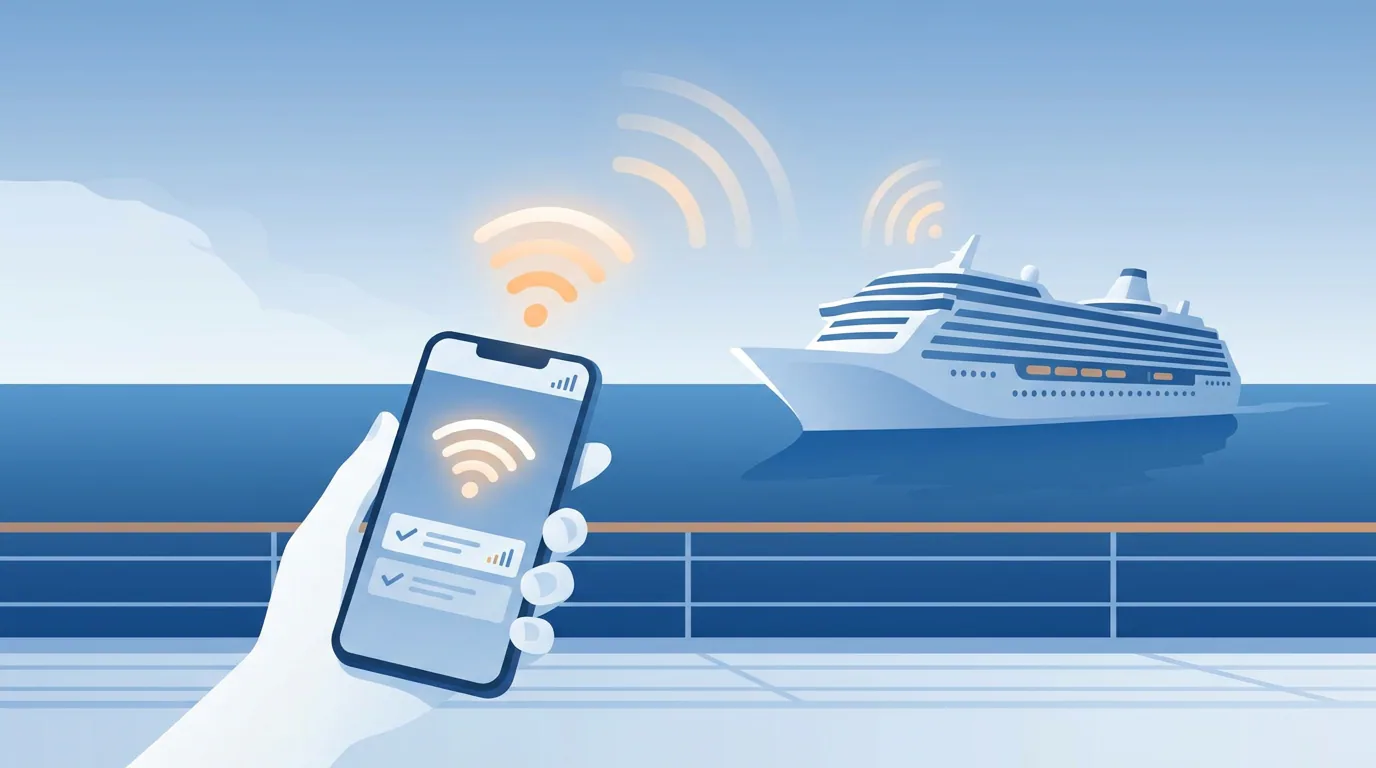
Royal Caribbean's onboard internet service (VOOM) connects passengers at sea. VOOM is Royal Caribbean's brand name for its onboard internet service. The term refers to the service itself, not to a specific package or plan tier.
Individual package options — such as Surf and Stream — are the tiers passengers choose and purchase within that service. Royal Caribbean's VOOM internet service provides connectivity while ships are at sea.
When comparing options for your booking, check which package tiers are available and what each one includes for your specific ship and sailing.
What Surf and Stream refers to
Surf and Stream is a package tier name within Royal Caribbean's VOOM internet offerings. Royal Caribbean currently uses the Surf and Stream name in its official materials.
The tier is designed to support activities such as video streaming, video calls and higher-speed browsing. Other package options exist alongside it, each with different feature sets and usage allowances.
Features, pricing and device terms can vary by ship and sailing date. Check Royal Caribbean's website or your cruise planner for the exact package details that apply to your booking before you purchase.
How to buy and connect to VOOM
Royal Caribbean internet packages can be purchased before a cruise sailing, or onboard the ship. Passengers must complete a login or activation process to use the service after purchase.
Buying before you sail
Pre-purchasing through Cruise Planner is the easiest way to lock in a package before boarding. Look for internet options in your booking portal after you've made your reservation. Pre-purchase pricing is usually lower than onboard rates, though the exact discount varies by sailing.
Buying onboard
Packages are available for purchase once you're on the ship. Visit guest services or use the onboard portal to review current options and pricing. Check your ship's specific procedures when you board—some vessels may offer purchase through an app or cabin TV system.
Connecting your device
After purchasing a package, join the ship's Wi-Fi network, open a browser, and enter the details from your VOOM purchase to activate the connection. The exact login steps can differ by ship and sailing date, so consult the instructions in your Cruise Planner account or ask guest services if you need help. Your pre-cruise phone checklist can help you prepare your device settings before departure.
Using a VOOM package on multiple devices
Royal Caribbean internet packages limit the number of devices that can use a single package. Understanding how device limits work helps avoid connection surprises during your sailing.
Device limits per package
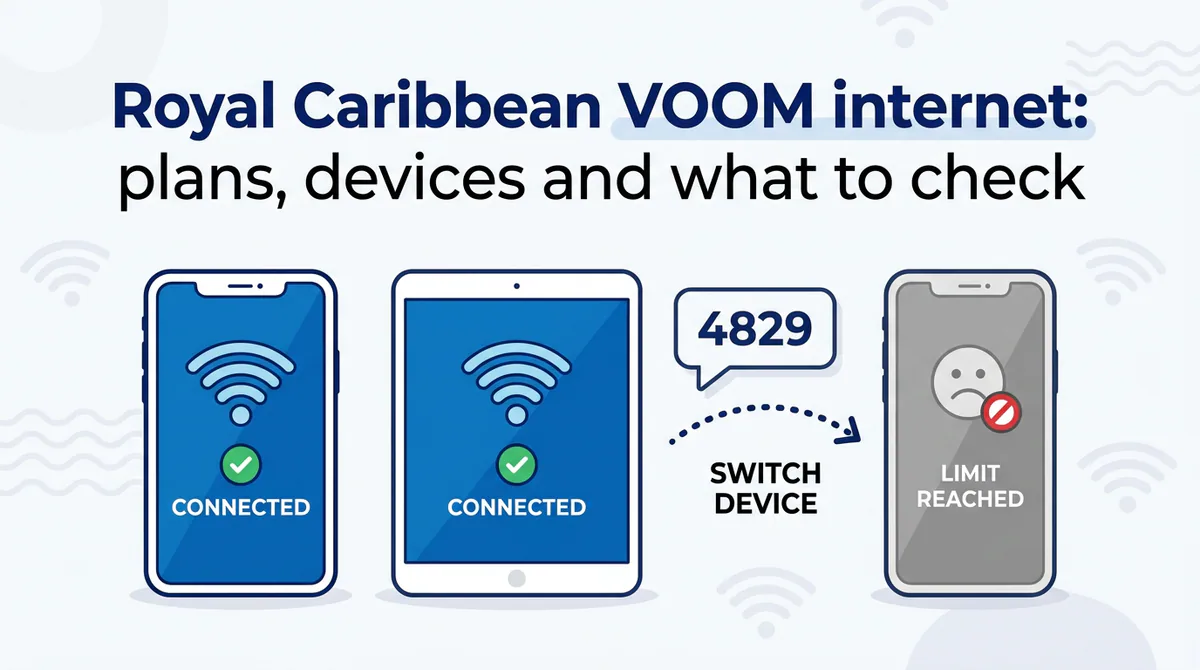
A Royal Caribbean internet package allows a specific number of devices to connect simultaneously. The key distinction: plans are sold by the number of devices connected at the same time, not by the number of devices you own. The exact number allowed online together depends on which package you purchase. Check your booking's package terms to confirm the device count included with your plan.
Switching devices
Royal Caribbean allows passengers to switch which device is connected to an internet package. When you reach the device limit and try to connect a new device, the system will inform you the device limit has been reached and ask if you want to connect the new device. You can switch to another device by sharing the connection and entering a four-digit code into the new device to transfer access.
What can change by ship or sailing
Royal Caribbean sets VOOM package details at the sailing level, not the fleet level. The packages available to you, their names, what each one includes, and what they cost are determined when you book and may differ from what other passengers see for different sailings or ships.
Check your own Cruise Planner or booking confirmation for the authoritative list of packages, pricing, and terms that apply to your sailing. Package names, device limits, validity periods, and feature descriptions can vary, so rely on the details shown in your booking rather than general descriptions or other passengers' reports.
If you're comparing options or planning ahead, log in to your Royal Caribbean booking to see the exact packages and terms available for your ship and departure date. What you see there is what applies to your sailing.
Before you decide: compare your options
Compare the package shown for your sailing with your actual connectivity needs before you buy. Check the official terms in your booking, understand what each option delivers and where it works, then decide how your internet use will split between sea days and port days.
Package terms to verify
- Record the package name, price, validity period, included devices and simultaneous-connection rules shown in your Cruise Planner.
- Check whether the terms apply to your ship and sailing, rather than relying on an older description or another passenger's booking.
- Review the cancellation, change and activation wording before payment.
Your data needs
List what you expect to do online: messaging apps, social media browsing, work email, video calls or streaming. Use that list to choose a package tier that matches your needs rather than paying for capacity you will not use. For a planning framework, see how much data you need for a cruise.
Comparing connectivity options
Compare the onboard option with alternatives available during port calls. Consider price, the places where each option can connect, how you will split time between sea days and port days, and whether you need service during sea days. The cruise connectivity options guide can help you organise that comparison.
Coverage: at sea vs in port
Royal Caribbean's VOOM internet service provides connectivity while its ships are at sea, according to Royal Caribbean's Fastest Cruise Wi-Fi & Internet at Sea: Voom page. Treat shore-based alternatives separately: check the coverage offered for each port, including any private-island call, instead of assuming that a port option continues offshore. Read more about at sea vs in port coverage before you compare plans.
Frequently asked questions
What does VOOM mean on Royal Caribbean?
VOOM is Royal Caribbean's brand name for its onboard internet service. It is not a package name—packages within VOOM have their own tier names, such as Surf and Stream.
What does Surf and Stream refer to?
Surf and Stream is a package tier name within Royal Caribbean's VOOM internet offerings, currently used in official materials. Package features and pricing should be confirmed for your specific sailing in your Cruise Planner.
How do I buy and connect to VOOM for my cruise?
Packages can be purchased before sailing via your Cruise Planner or onboard the ship. After purchase, join the ship's Wi-Fi network and complete the login or activation process. Check your Cruise Planner for ship-specific instructions.
Can one VOOM package be used on multiple devices?
Yes. Packages allow a specific number of devices to connect simultaneously, and you can switch which device is connected. Device limits and switching rules depend on the package tier—verify the exact terms in your booking.
Does VOOM work at Cococay and other private islands?
VOOM provides connectivity while ships are at sea. Coverage at private islands such as Cococay and Labadee, and in port, should be verified in your booking materials or with guest services, as it may vary by location.
Which package terms should I confirm for my ship and sailing?
Check your Cruise Planner for package name and features, price, validity period, device limit, simultaneous connections allowed, switching rules, and ship and sailing availability. Your official booking materials are the authoritative source.
Sources and further reading
These references explain device or network behavior. They do not verify Cruise eSIM product availability.
- What is VOOM and how much does it cost? | Royal Caribbean Cruises ↗
- Fastest Cruise Wi-Fi & Internet at Sea: Voom | Royal Caribbean Cruises ↗
- Is the Voom internet on Royal Caribbean cruise ships really as fast as they say? - The Points Guy ↗
- Reviewed: Royal Caribbean VOOM Internet at Sea (Speed, Features, and More) ↗
- Royal Caribbean VOOM Internet: Prices, Packages & Starlink Wi-Fi ↗